Built for WordPress teams that want feedback, ideas, and roadmaps in one place, without paying a monthly SaaS bill.
Pro toolkit, in depth
Scroll through every Pro module
Six modules built for teams that ship product on a real cadence. Each one earns its place. Drag, scroll, or use the dots to step through.
01
Exclusive to SimpleBoards
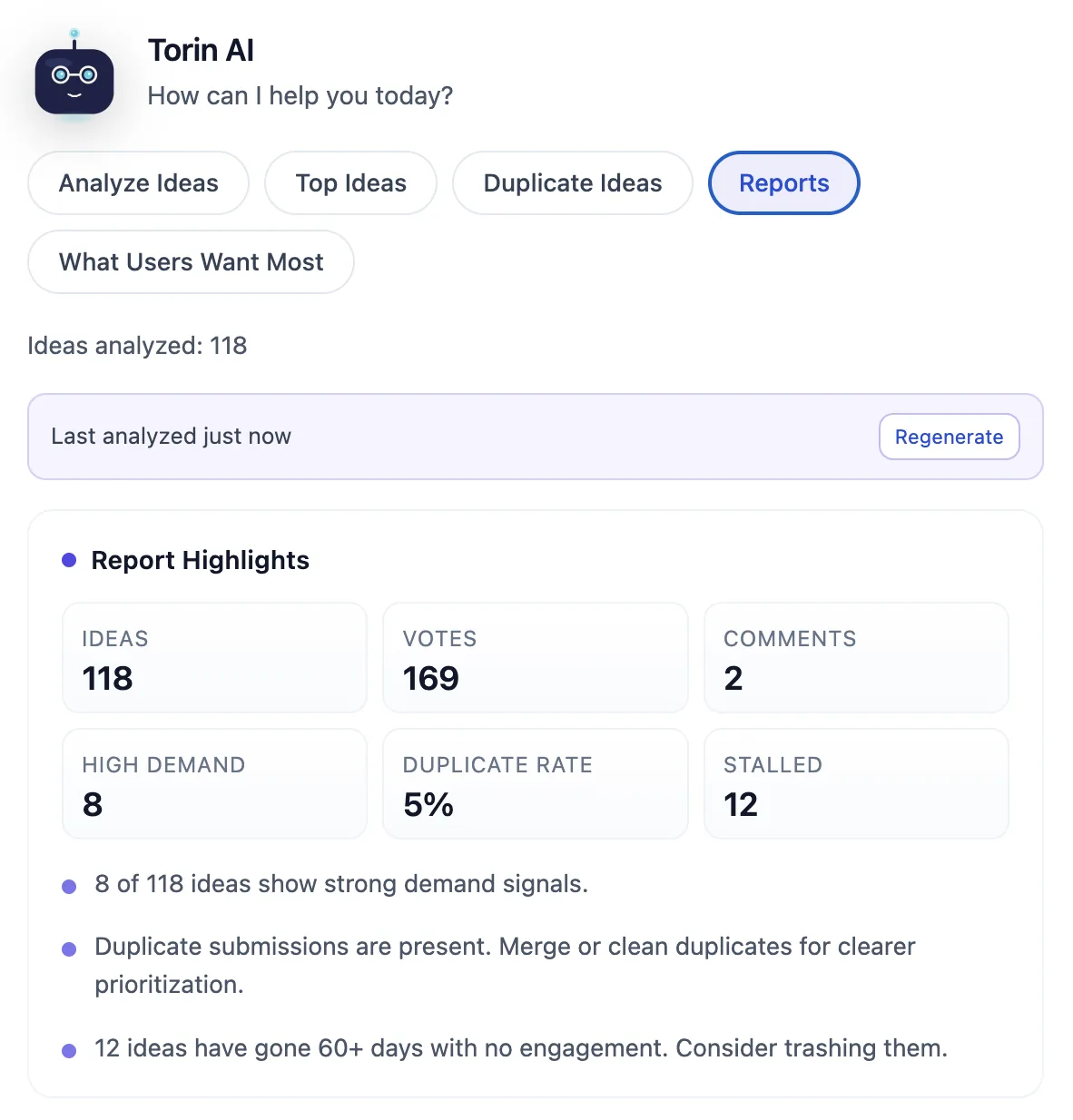
Torin AI Assistant
The only roadmap plugin with built-in AI. Torin reads every idea on your board, clusters duplicates, classifies user intent, and surfaces what to build next.
Cluster duplicate ideas in one click
Reports view scores demand signals
Suggested actions per idea, on-demand
02
Pro
Private Boards by Role
Lock down sensitive boards to specific WordPress user roles. Internal planning stays internal, customer-facing boards stay public.
Restrict by any built-in or custom role
Per-board access controls, no global setting
Optional item-level visibility
5 / 5roles allowed
Visibility
Allowed roles
AdministratorAD
EditorED
AuthorAU
ContributorCO
SubscriberSU
03
Pro
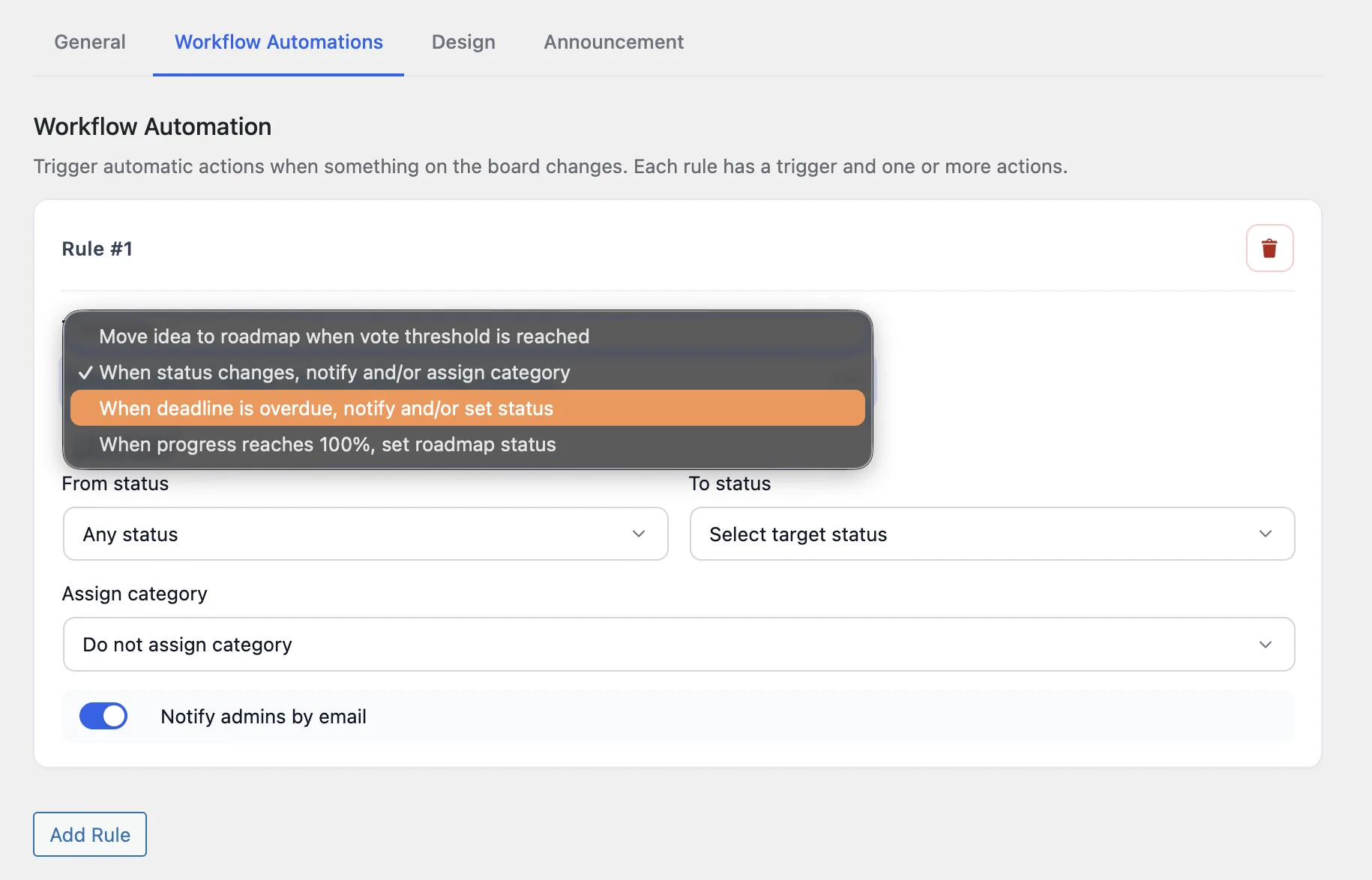
Workflow Automations
Fire actions automatically when an idea hits a vote threshold, a status changes, a deadline goes overdue, or a checklist completes. Less babysitting.
Four trigger types, no external Zaps required
Auto-promote ideas to the roadmap on vote
Email notify on every rule, opt-in per board
04
Pro
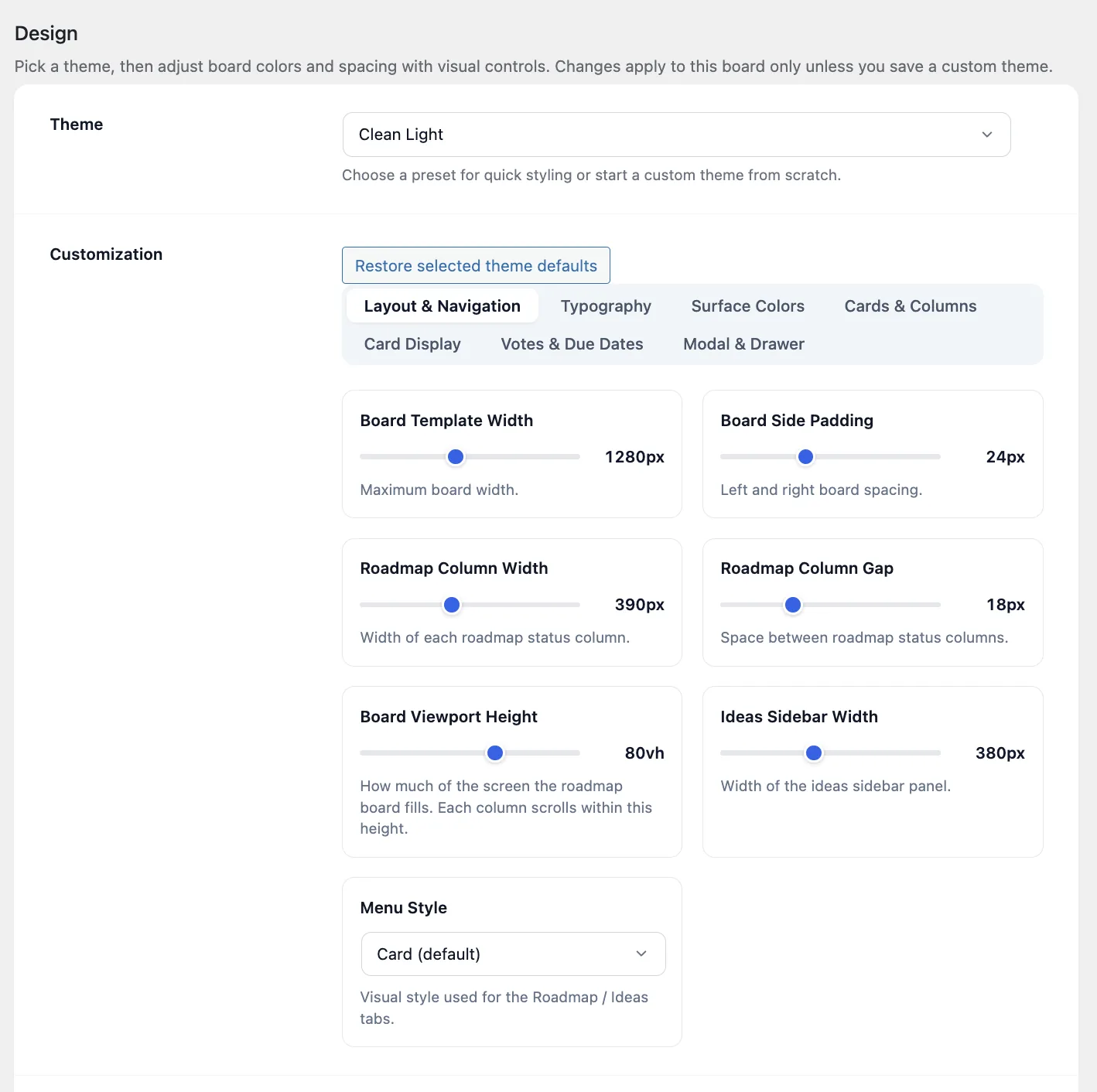
Board Design Controls
Full control over colors, typography, spacing, column widths, and vote styles. Save custom themes once and reuse across every board.
Three built-in themes plus unlimited custom
Granular tokens, no CSS required
Match your brand in minutes
05
Pro
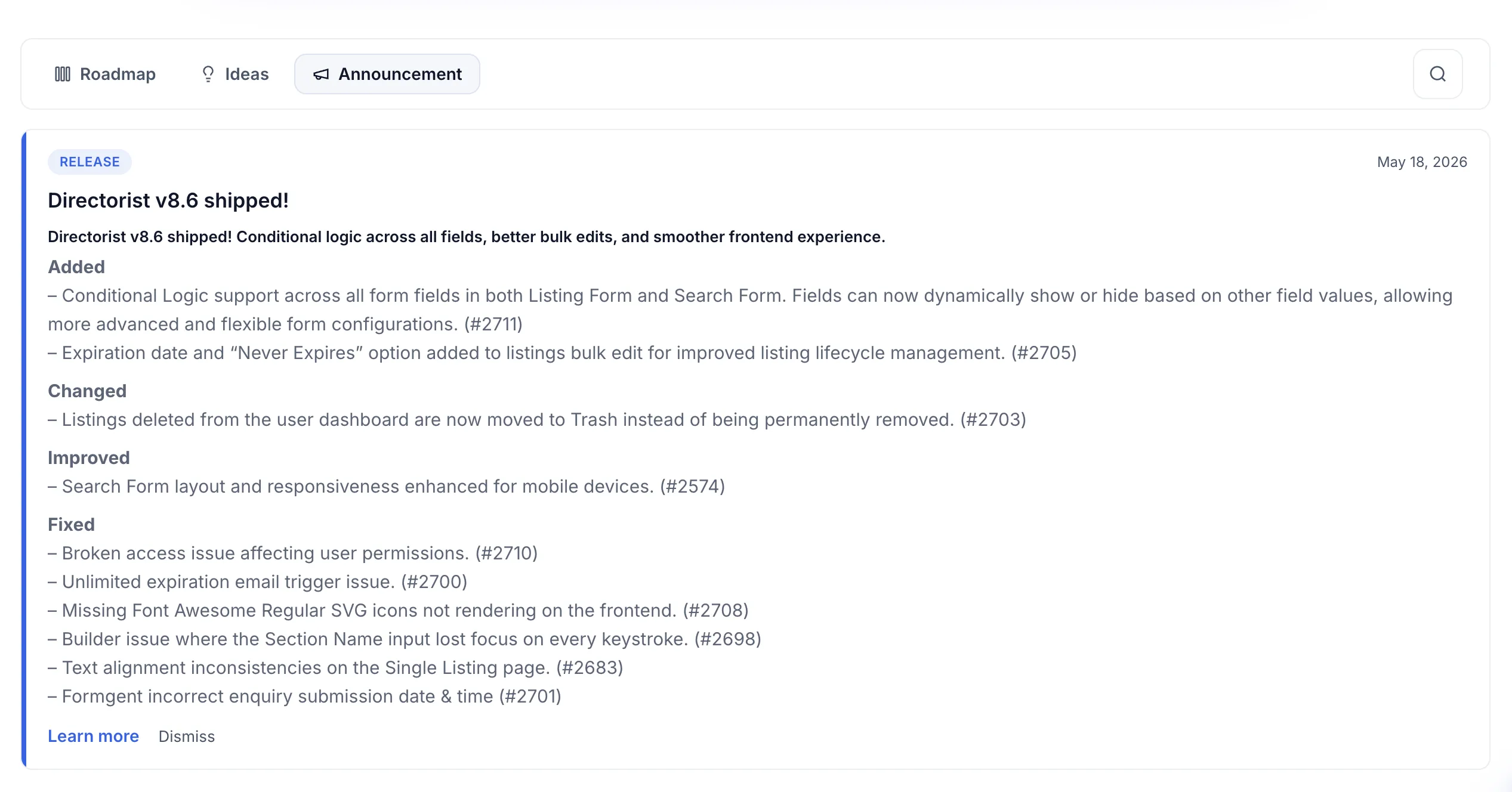
Announcements Tab & Widget
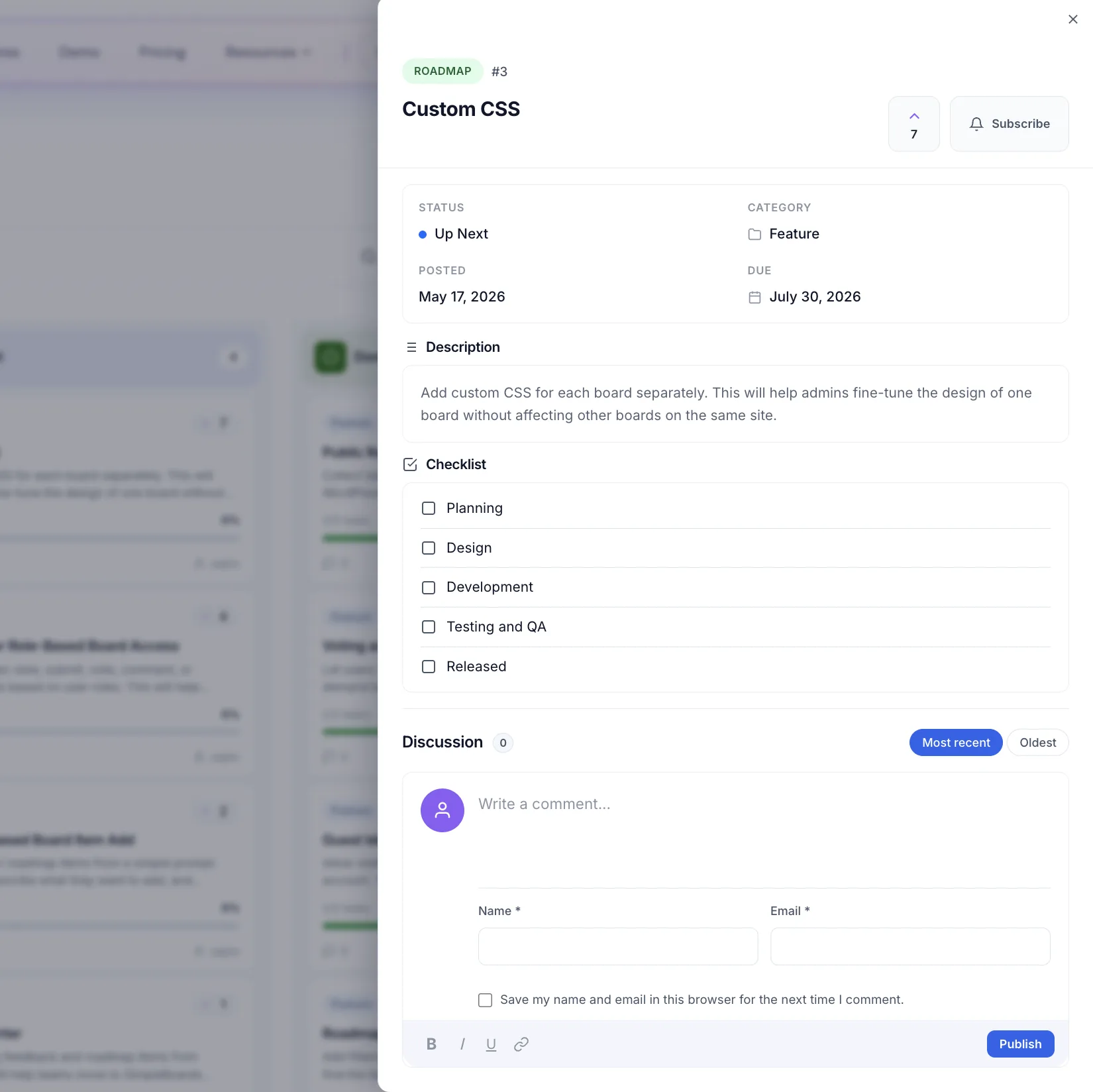
Publish product updates in a dedicated tab and on-site widget. Users see what's new the moment they visit. Per-user unread tracking included.
Four entry types: Release, Improvement, Fix, Announcement
Pin to top, schedule, optional CTA button
Widget for any sidebar or block area
06
Pro
Checklist Progress on Cards
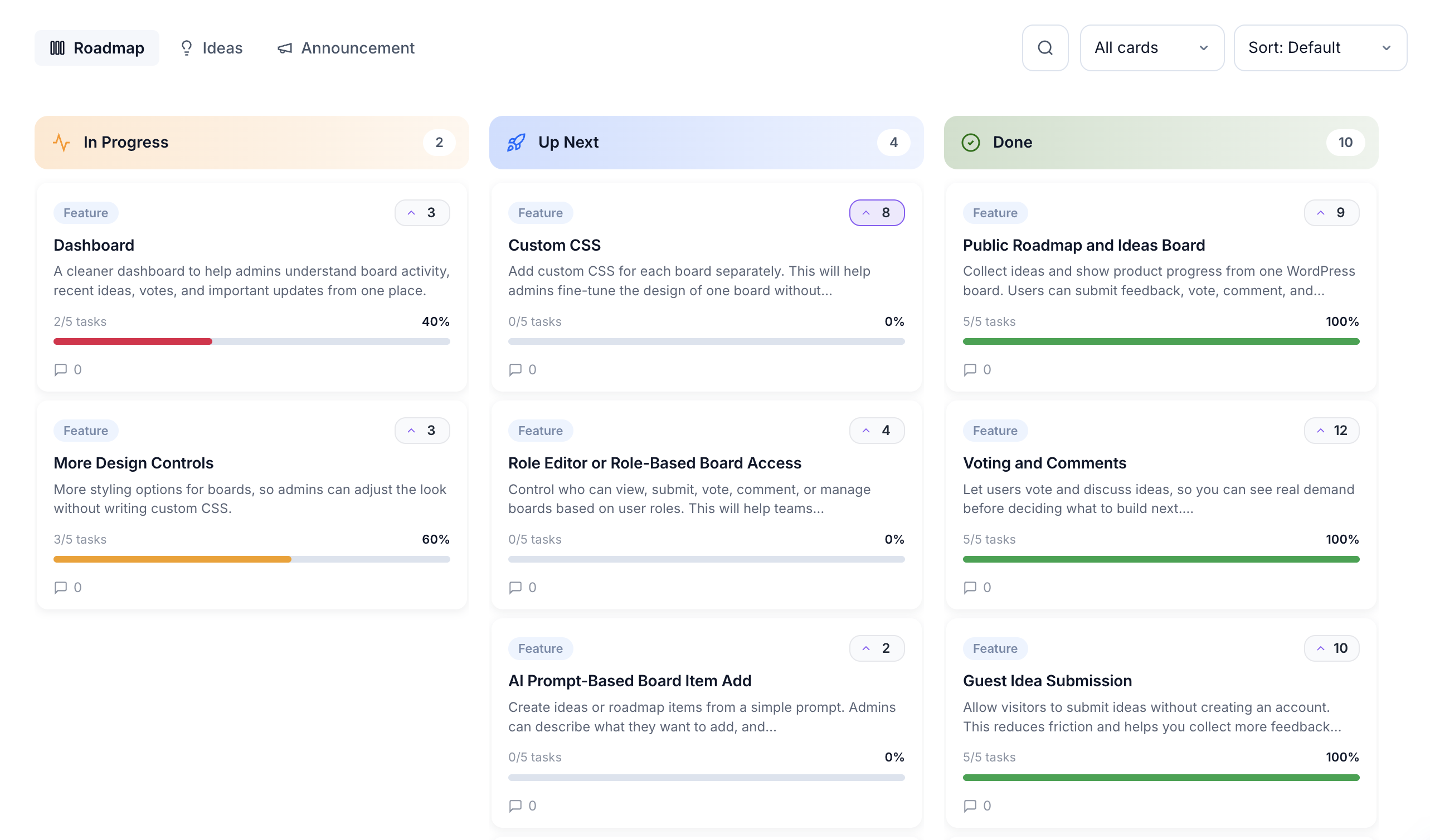
Track subtasks inside each roadmap card. Progress bars appear on the board so your team and your users see exactly how close each feature is to shipping.
Drag-and-drop task list per card
Auto-set status when progress hits 100%
Color-coded progress bars on every card
Multiple themes, one click each
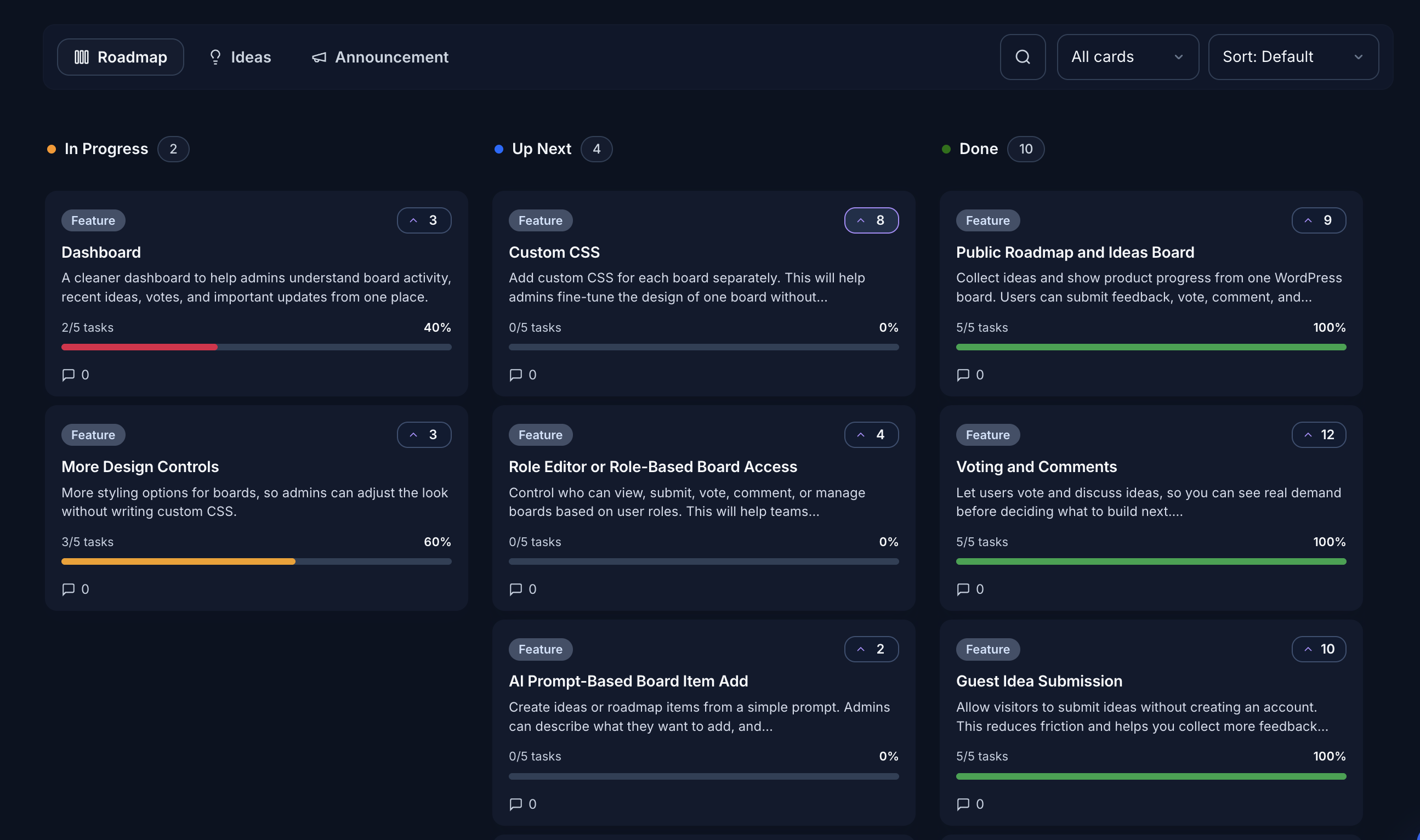
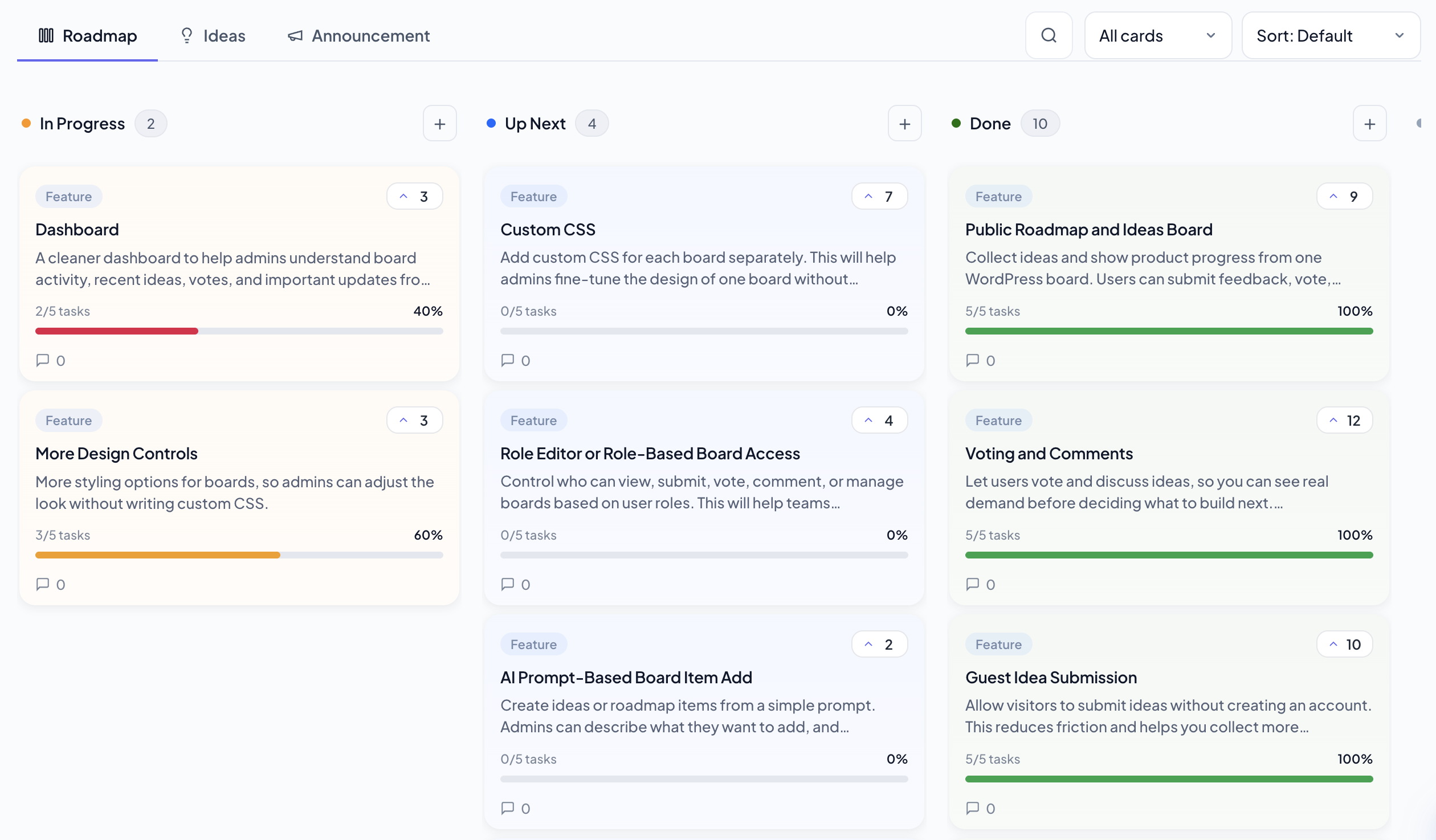
Three built-in themes, infinite custom designs
Pick a preset and your board adopts a fully coordinated palette, typography, column shape, and vote-button style. Want to go further? Open the design controls and adjust any token.
Click a theme on the right to preview it. Every theme works on every board and switches with one setting.
Clean Light. Bright surface, soft borders, bold status bars. The default for new boards.
The free plan is the whole feedback loop
Most teams never need to upgrade.
Roadmap, ideas board, voting, moderation, and CSV import are all included. No subscription, no account, no row limits. Pro adds AI and automations on top, but the free plan already does what most paid feedback tools charge for.
Public roadmap board
Show product direction in a clean Kanban layout. Planned, In Progress, and Done are all visible, so users stop asking for updates by email.
Ideas board
A dedicated place for user submissions. Each idea can receive votes, comments, and a status update so users feel heard.
Voting and sorting
Users vote once per idea. Sort by most voted, newest, or oldest. Demand becomes data you can act on, not gut feeling.
Filter and search
Category filters and keyword search for both roadmap and ideas views. Long boards stay navigable on any device.
Guest submissions
Visitors submit ideas without creating an account. Less friction means more feedback from the people who actually use your product.
Admin moderation
New submissions sit in a queue until you approve or reject them. Bulk actions let you process many items at once.
LoopedIn CSV import
Import titles, descriptions, statuses, dates, and vote counts from LoopedIn. Control duplicate behavior per import.
Email notifications
Get notified on new submissions and moderation events. Edit email subject and body so notifications match your voice.
Custom statuses and categories
Edit default stages or create your own. Organize ideas into category groups that match how your team thinks.
Comments and discussion
Each idea supports threaded comments through the native WordPress comment system. No new setup required.
Fully responsive
The board adapts to desktop, tablet, and mobile. Scoped plugin styles keep the UI consistent regardless of your theme.
Shortcode and hooks
Embed with [sbir_board product="slug"]. Extend with WordPress actions and filters without touching plugin files.
Ready to unlock Pro?
Get Torin AI, automations, private boards, and full design controls. Backed by a 14-day money-back guarantee.